
Unicadr · Freeware for macOS
Every photo and video you own, in one catalog.
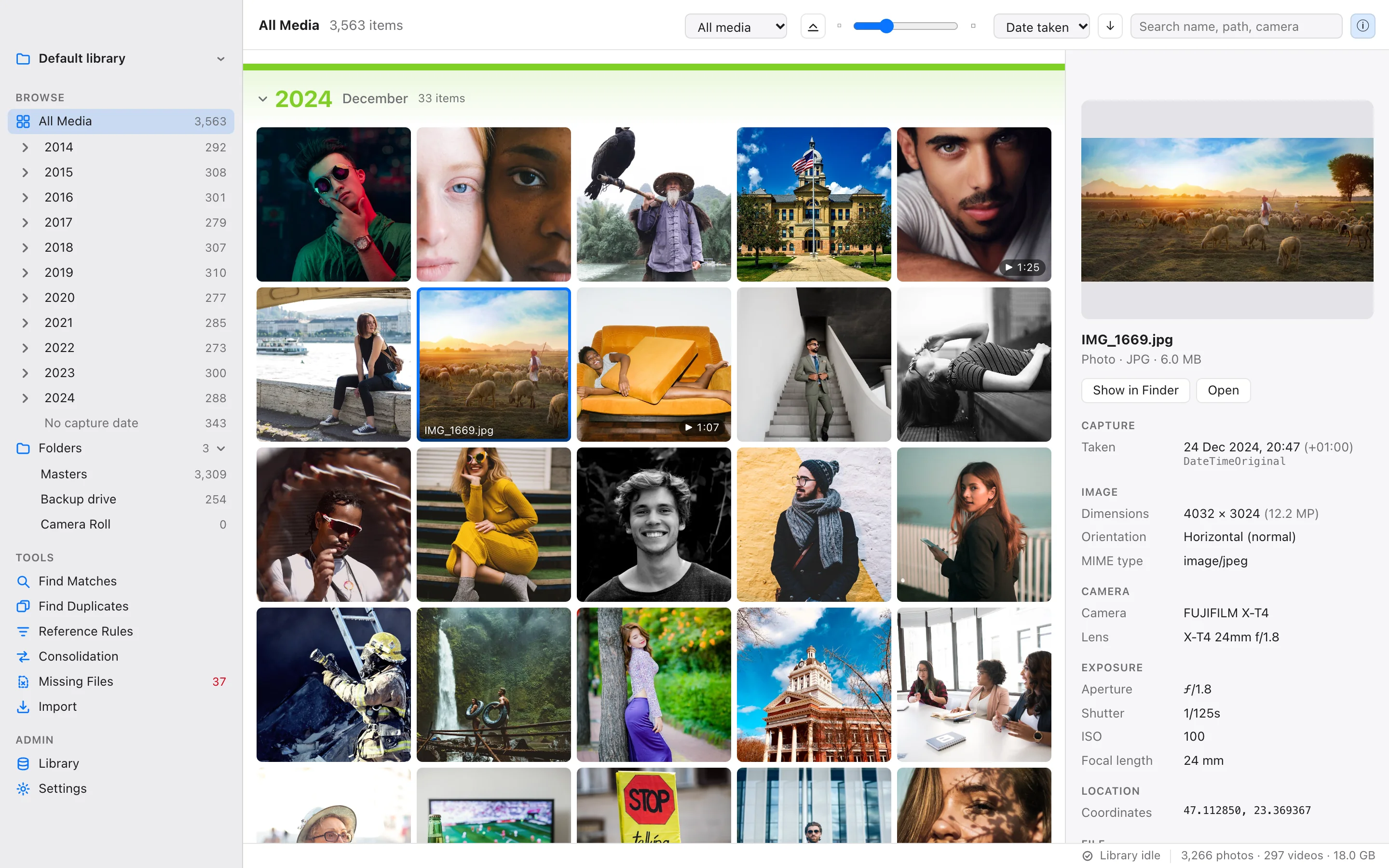
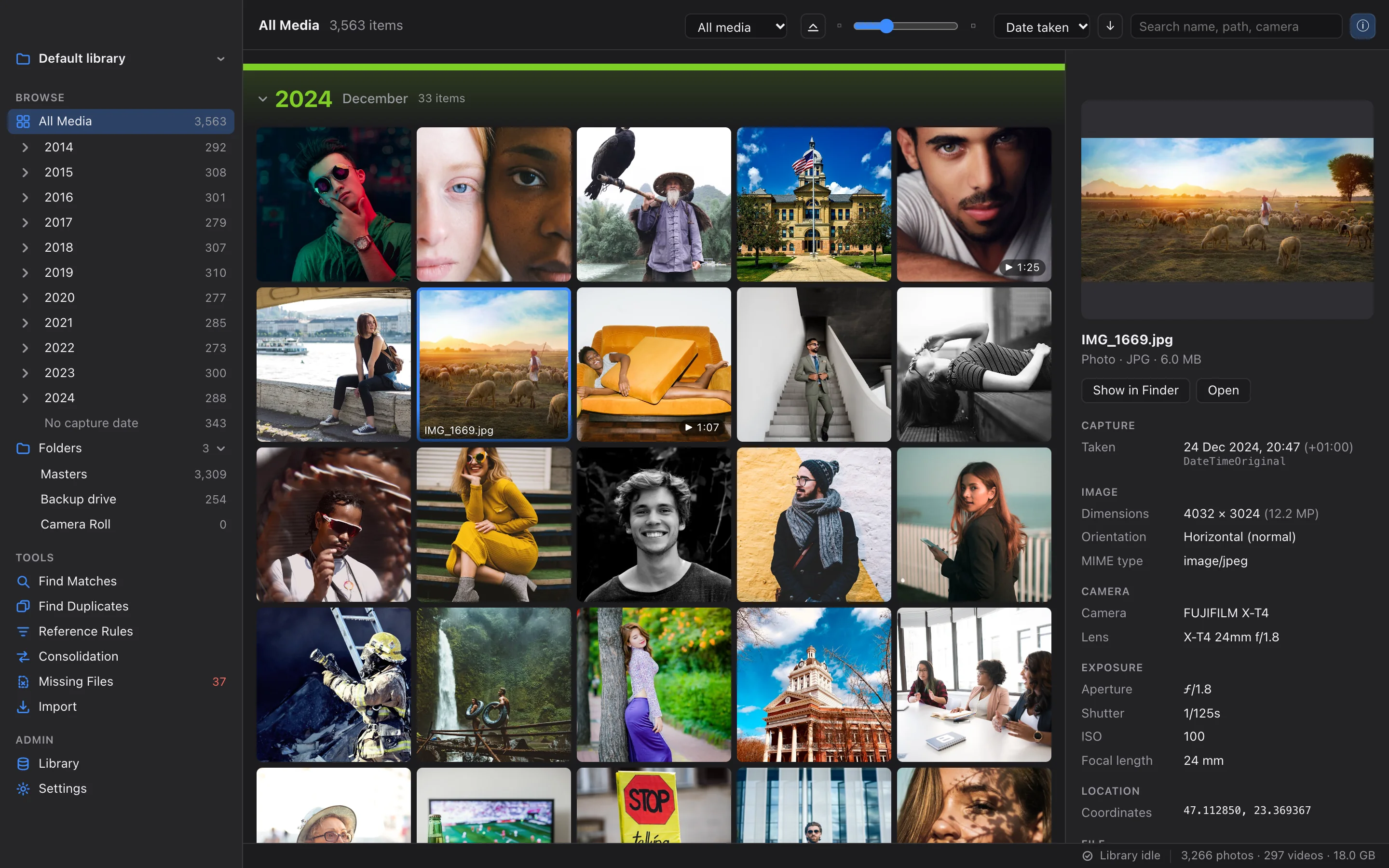
Unicadr scans the folders on your Mac, your external drives and your synced cloud folders, and turns them into one fast library you can browse by date, search and clean up.
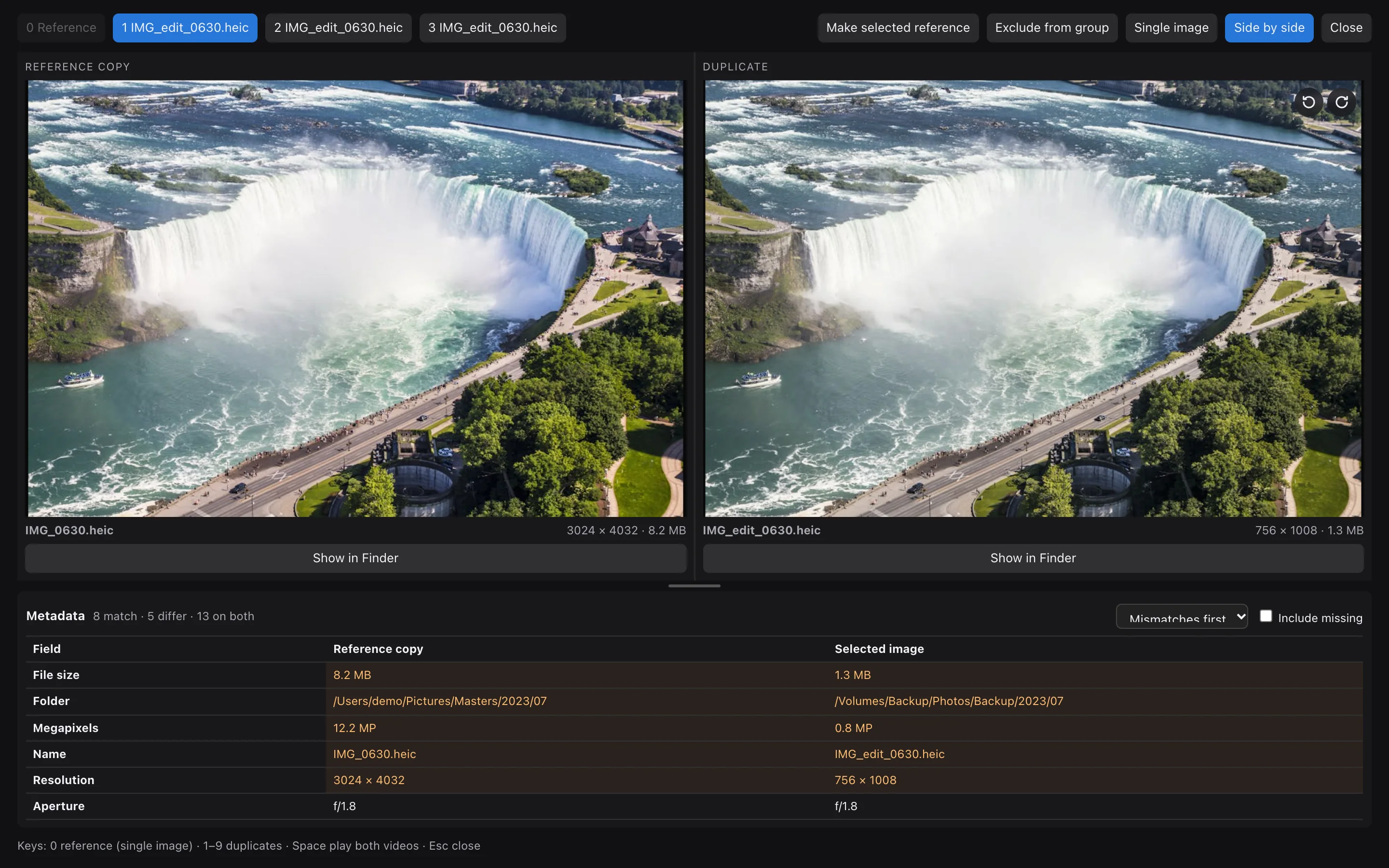
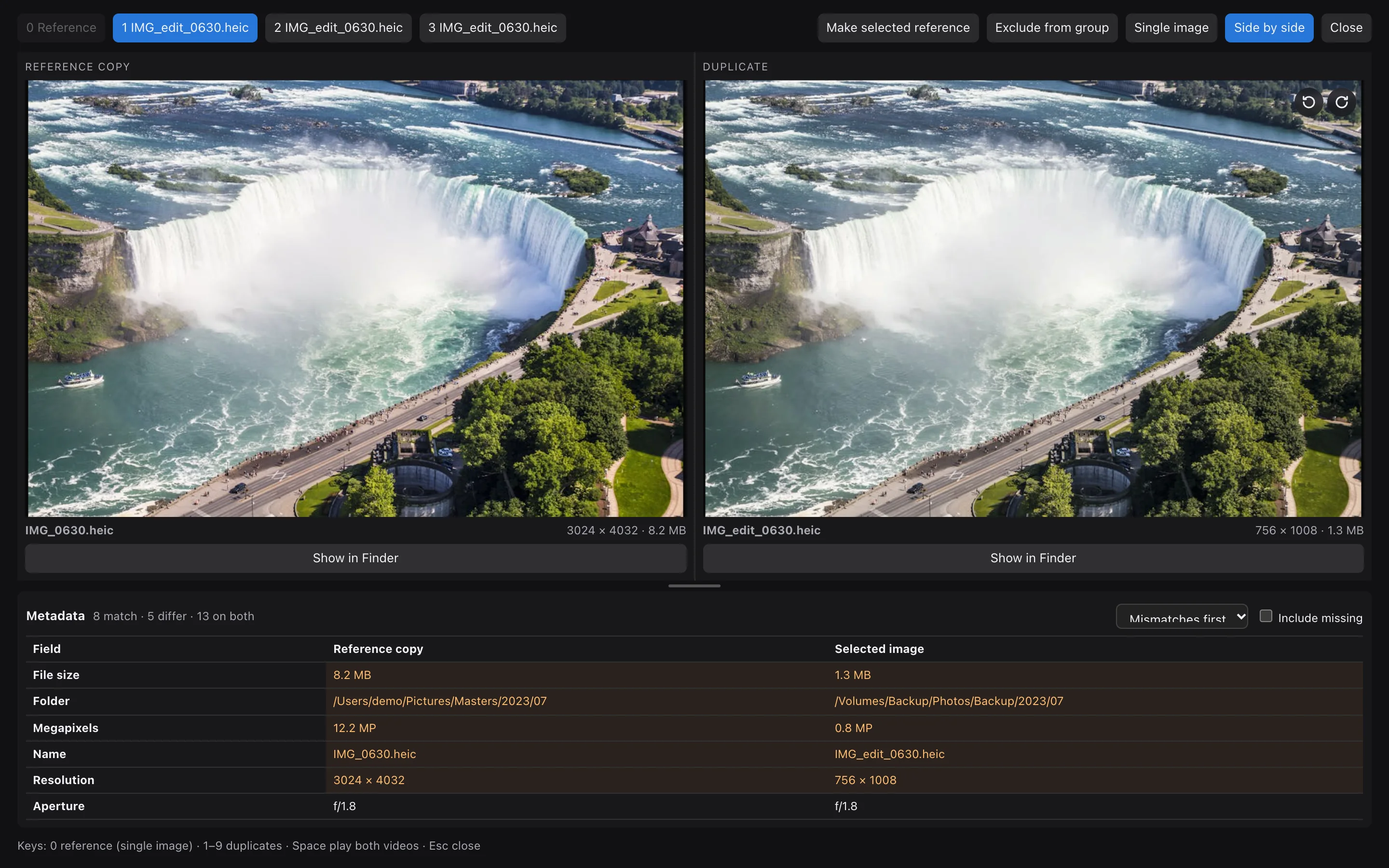
Then it finds the duplicates hiding across them: byte-identical copies, resized and re-saved versions, edits and mirrored images, with the copy worth keeping at the top of every group. Everything runs on your Mac. Nothing is uploaded, and nothing on your disk changes until you say so.

- Free
- Freeware: no account, no subscription, no ads
- 3 stages
- Exact, perceptual and neural copy detection
- 40+
- Photo, camera RAW and video file types
- 0 bytes
- Uploaded: everything stays on your Mac
Features
Find it, sort it, keep the best copy.
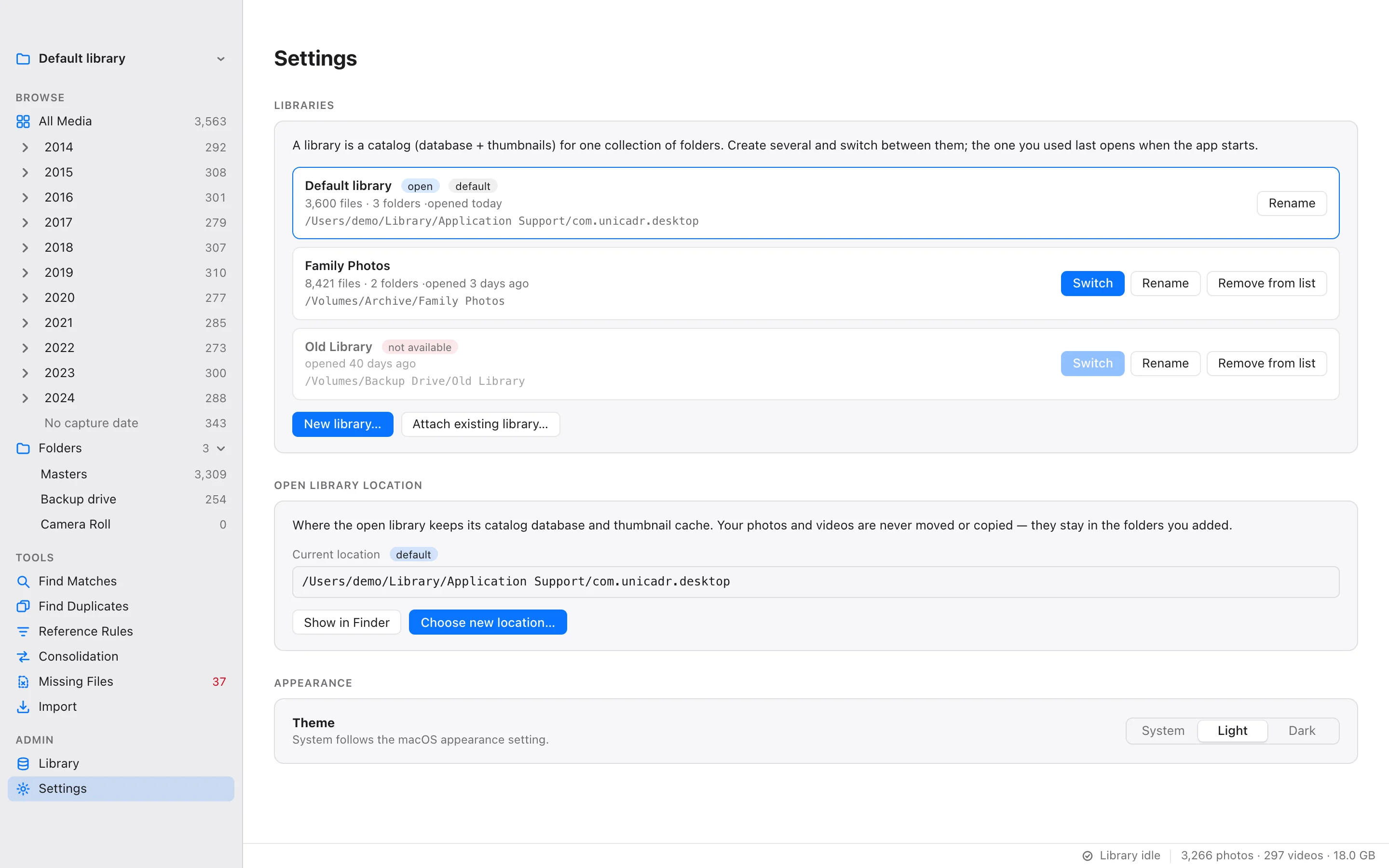
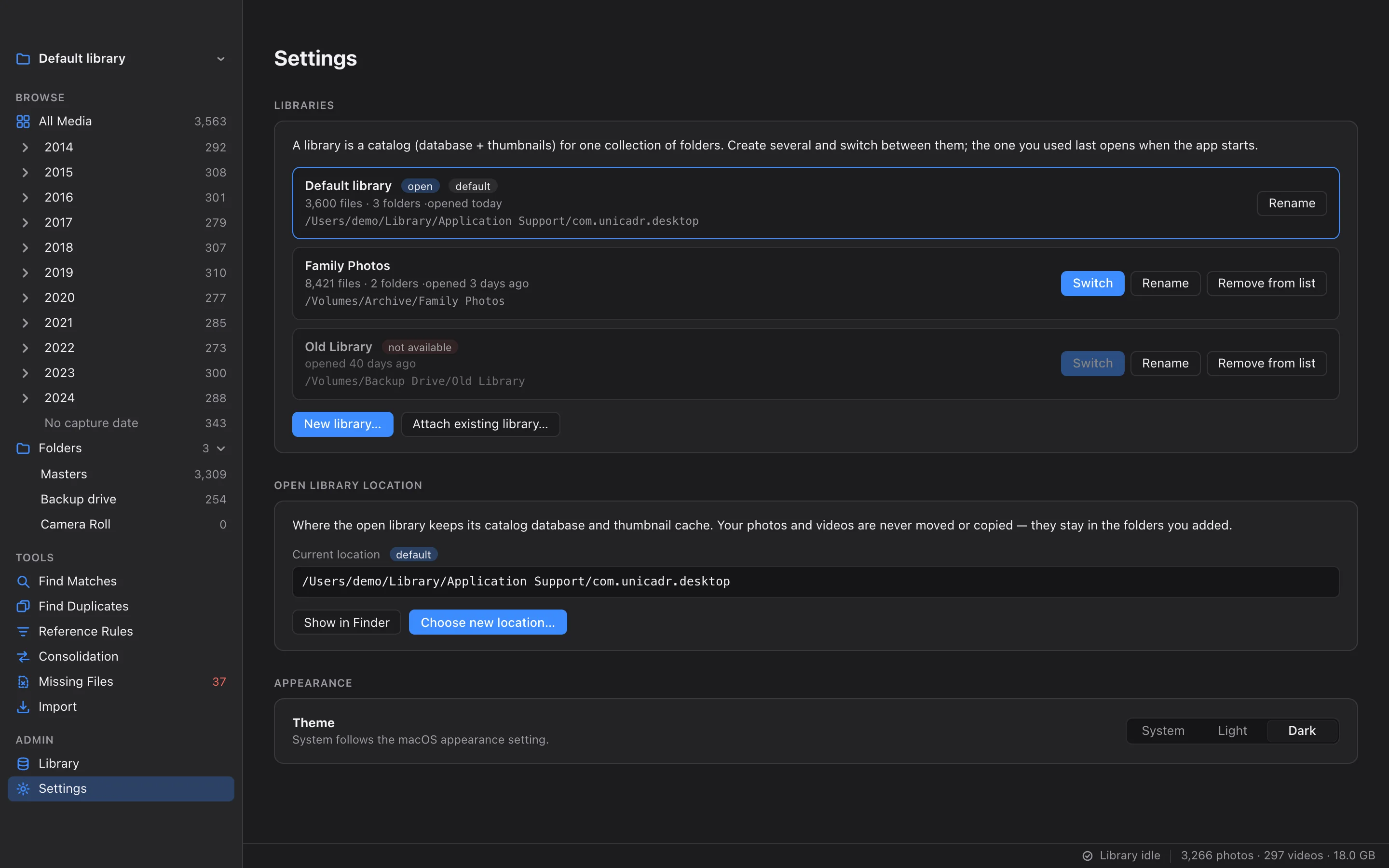
Everything works from one catalog. Each part of the app has its own page, with screens in light and dark.
 Browse
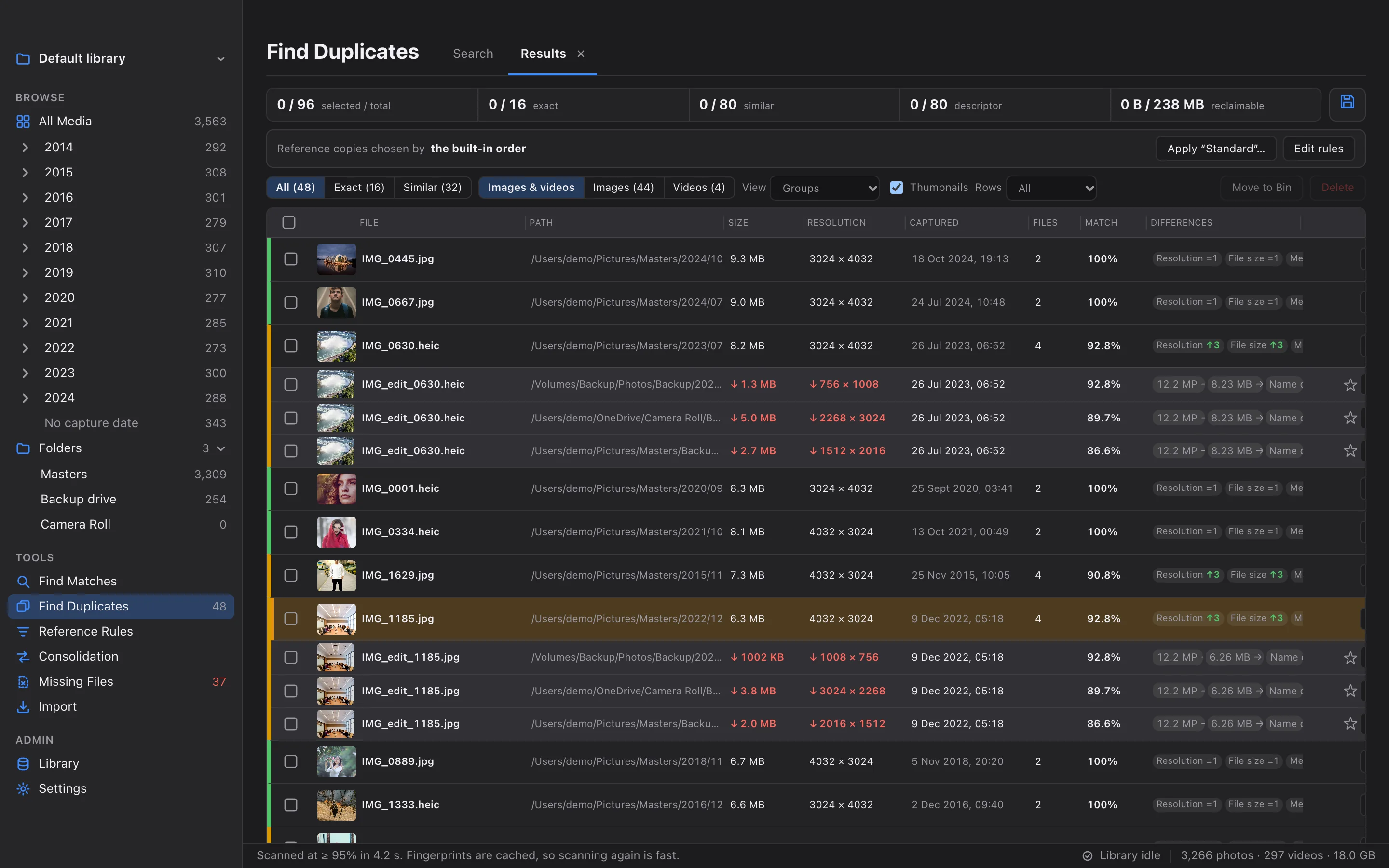
Catalog & Browse
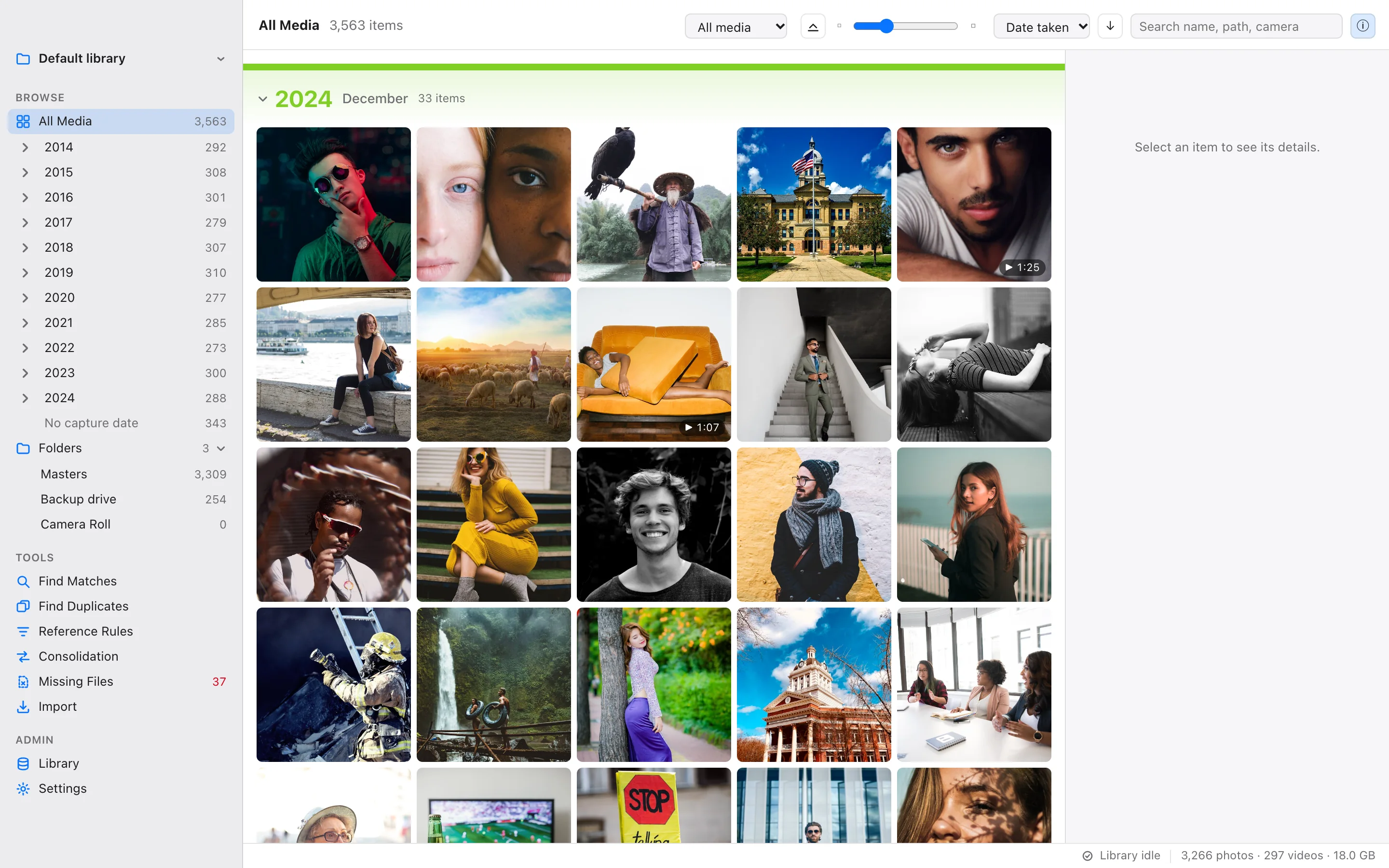
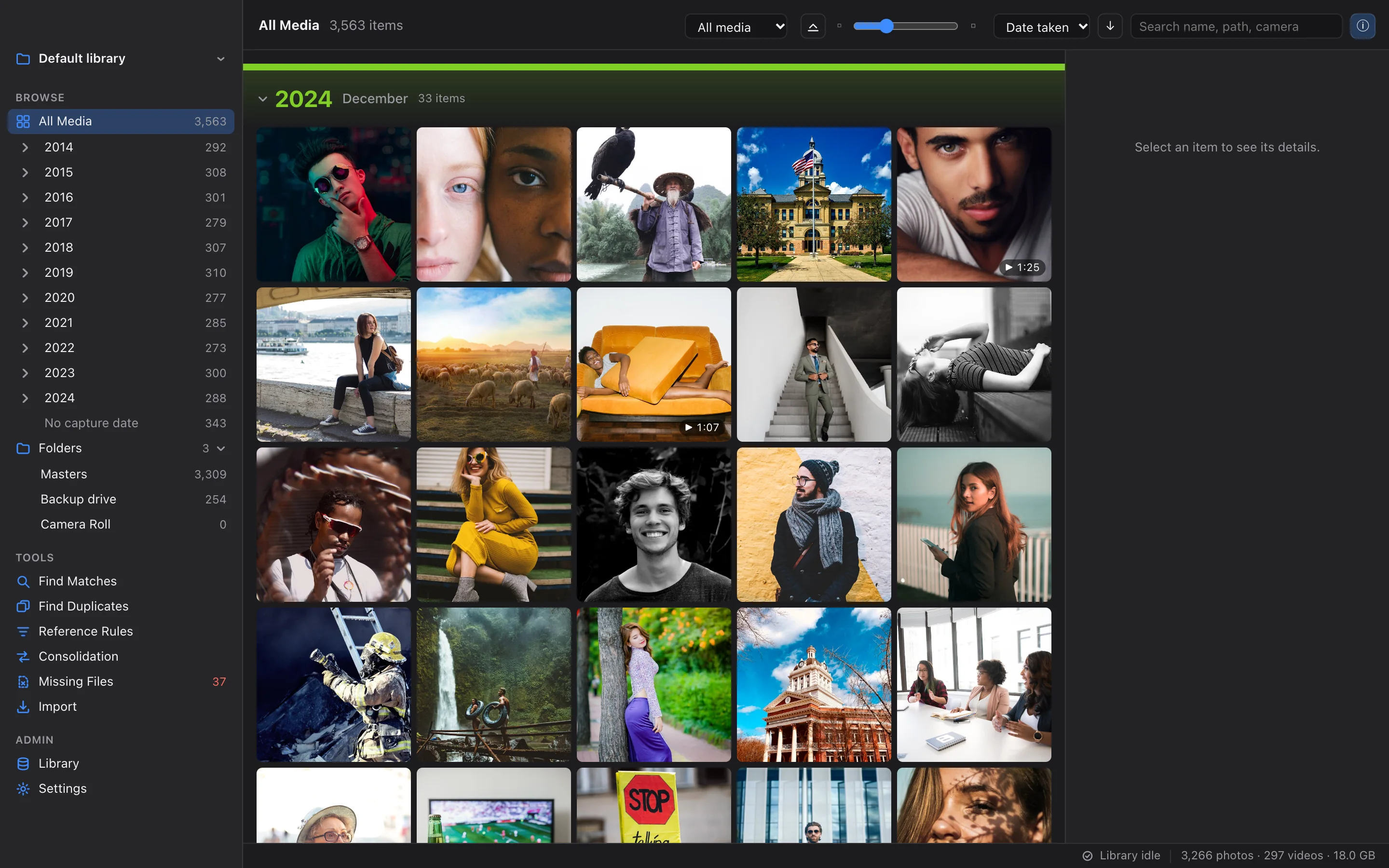
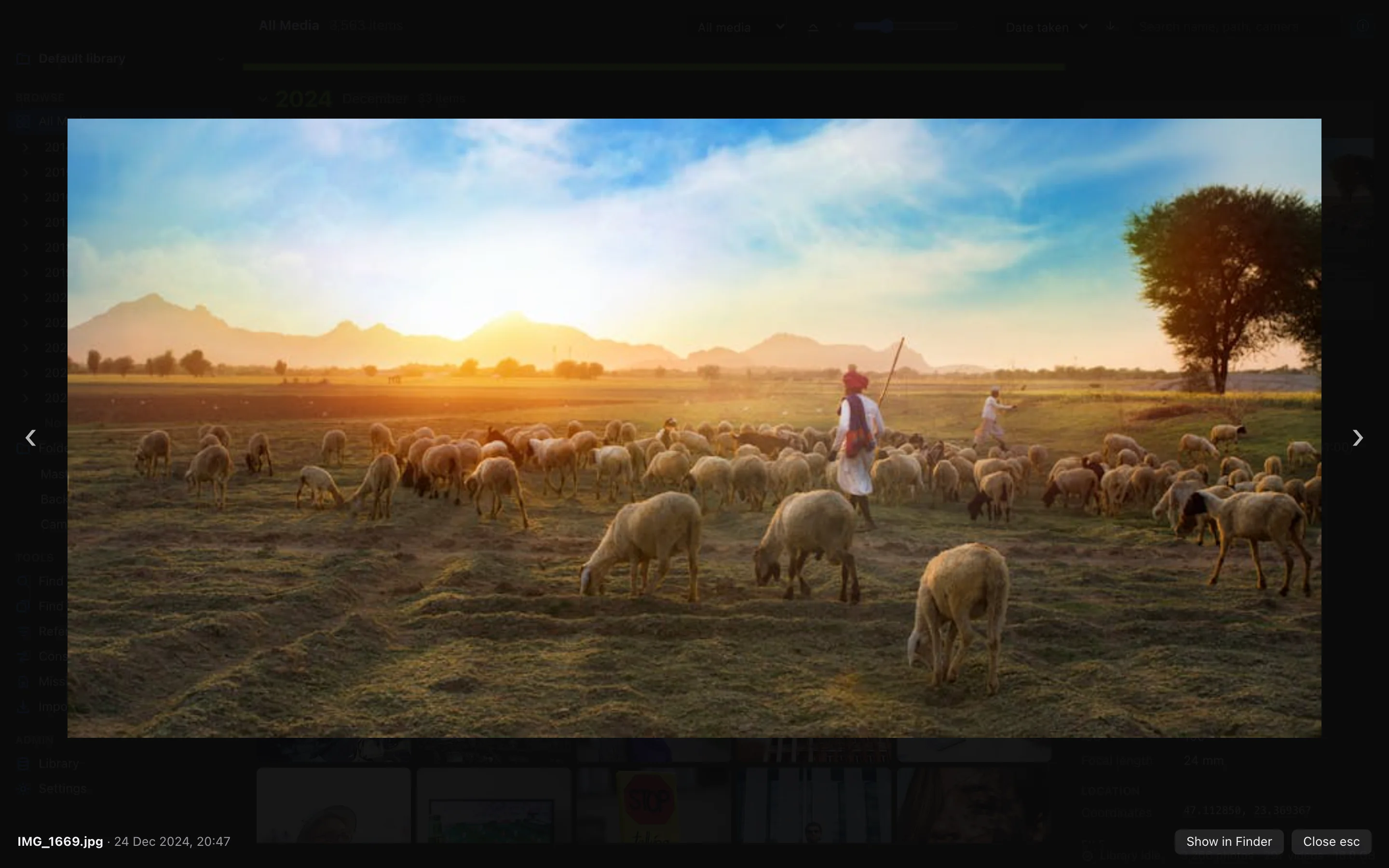
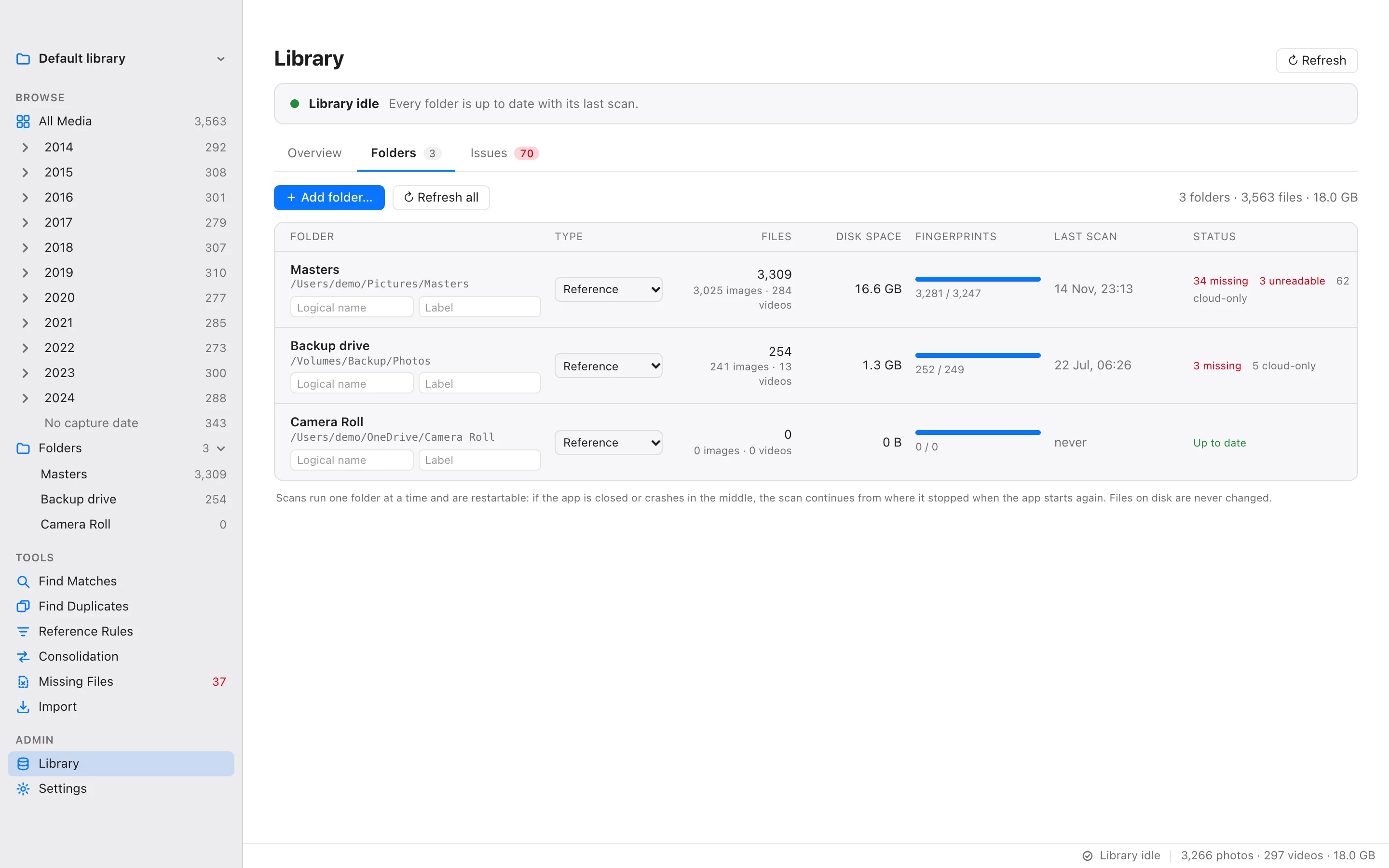
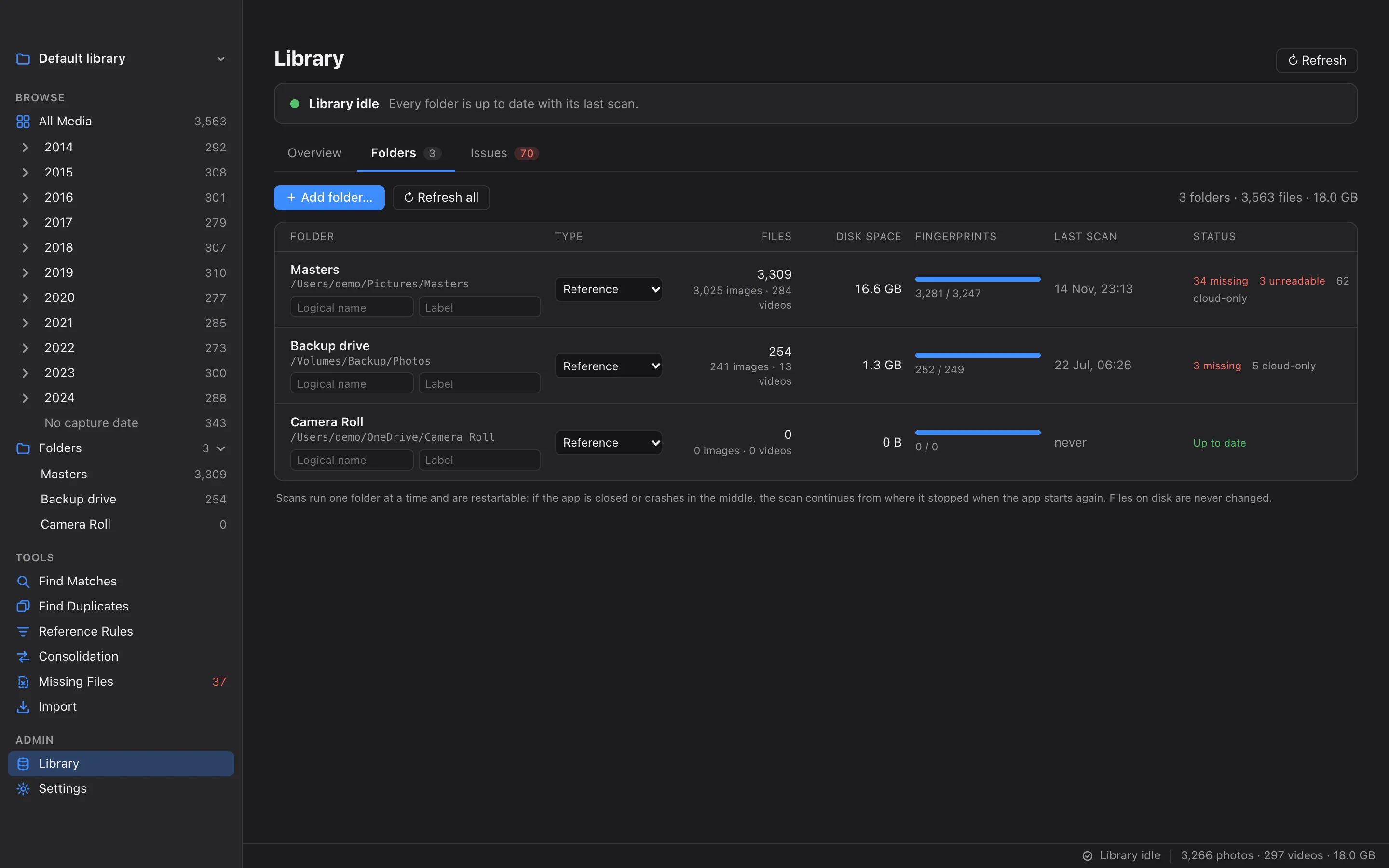
Add folders from your Mac, external drives and synced cloud folders. Unicadr reads their metadata and builds one fast, searchable library.
Read more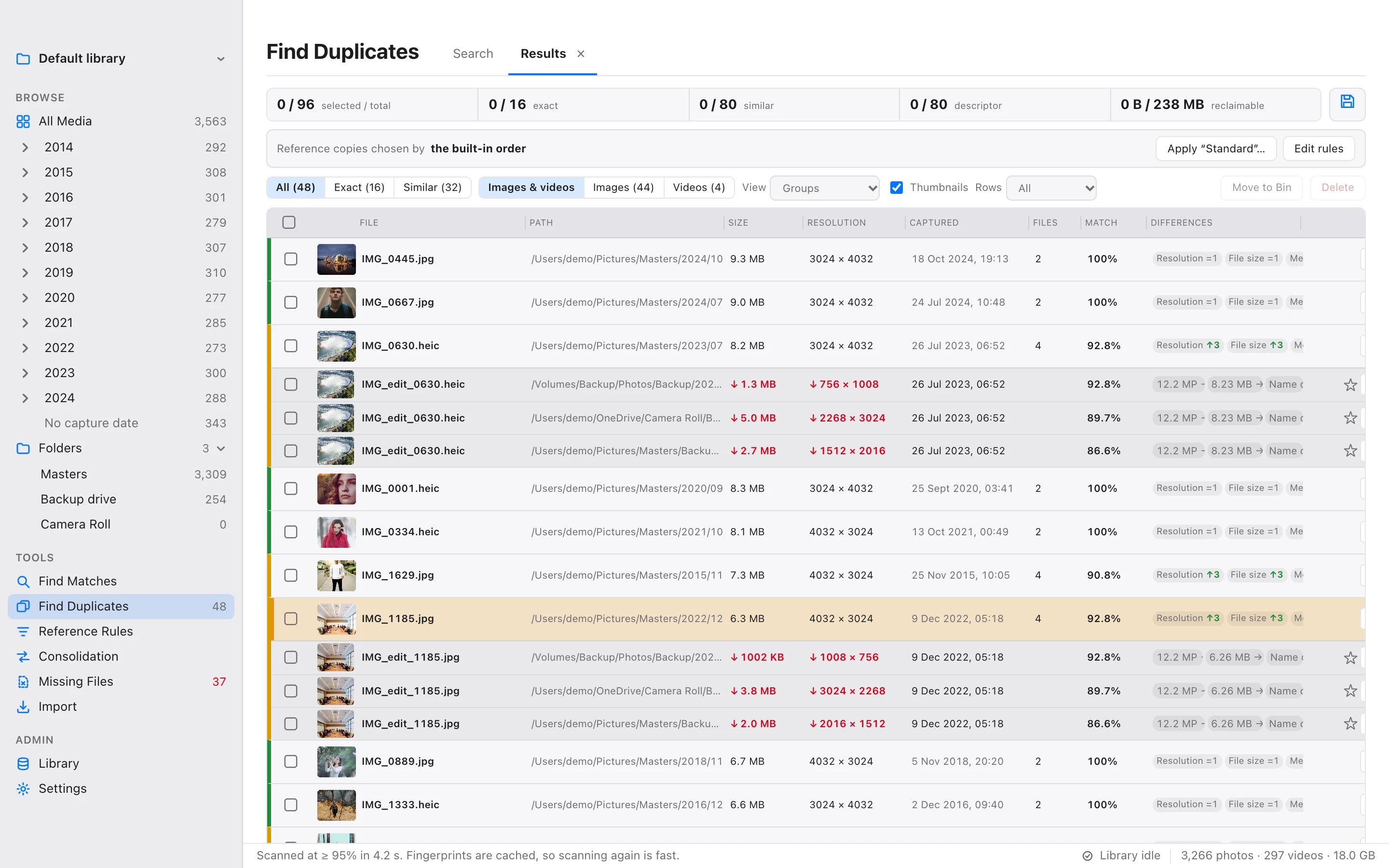
 Tools
ToolsFind Duplicates
Search the whole library or one folder for exact copies, resized and re-saved versions, edits and mirrored images, grouped with the copy worth keeping first.
Read more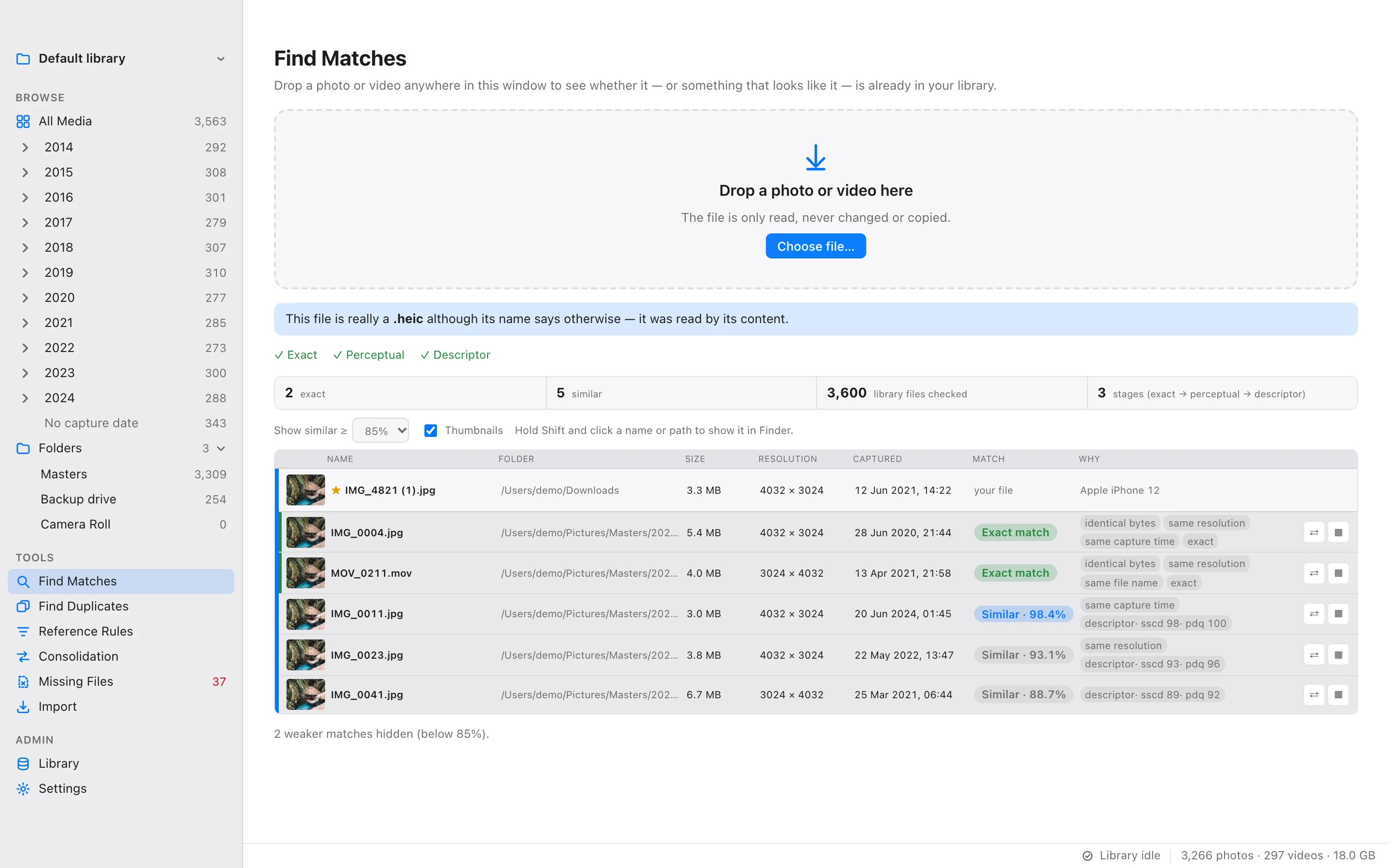
 Tools
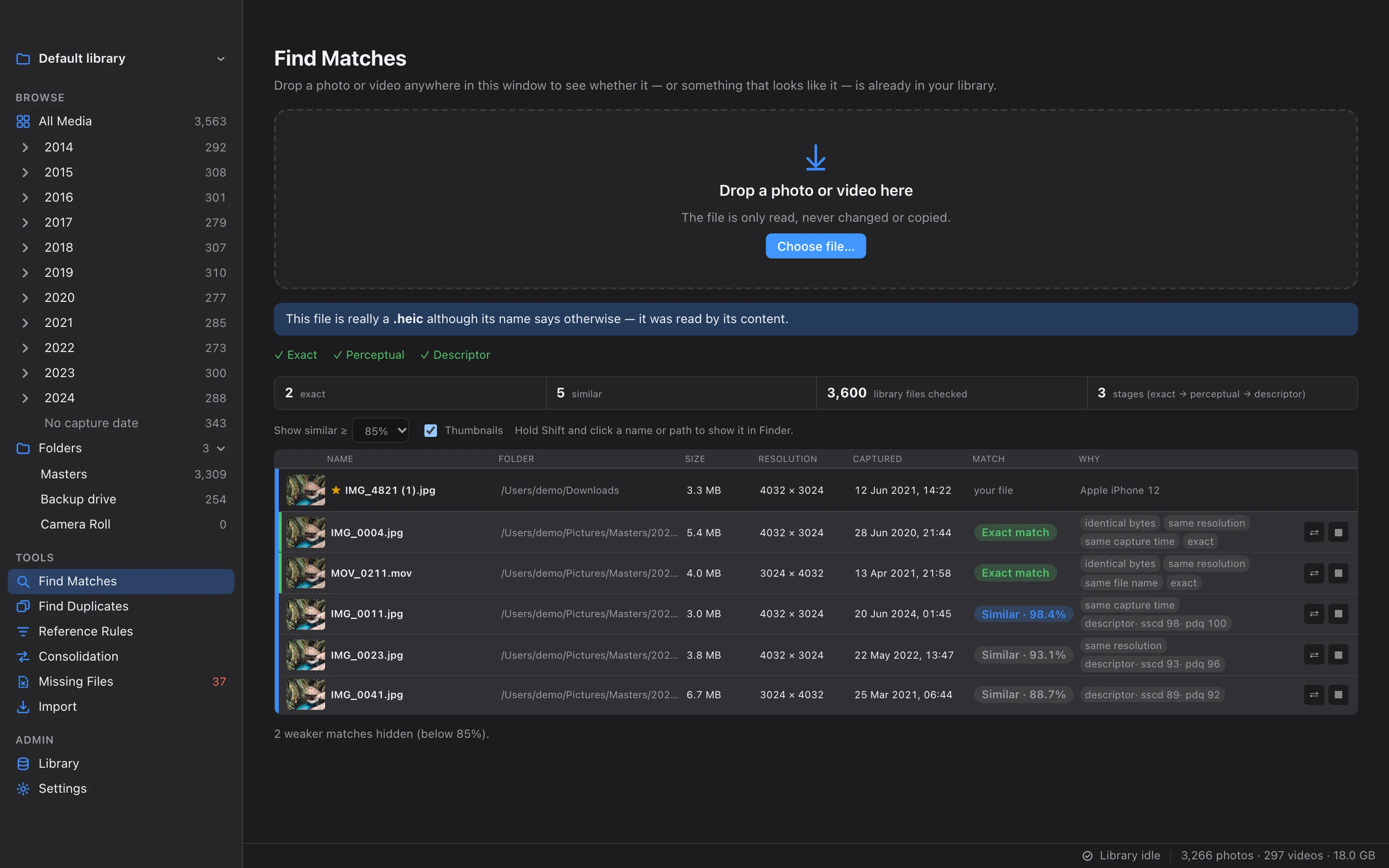
ToolsFind Matches
Drop any photo or video on the window to see whether it, or something that looks like it, is already in your library.
Read more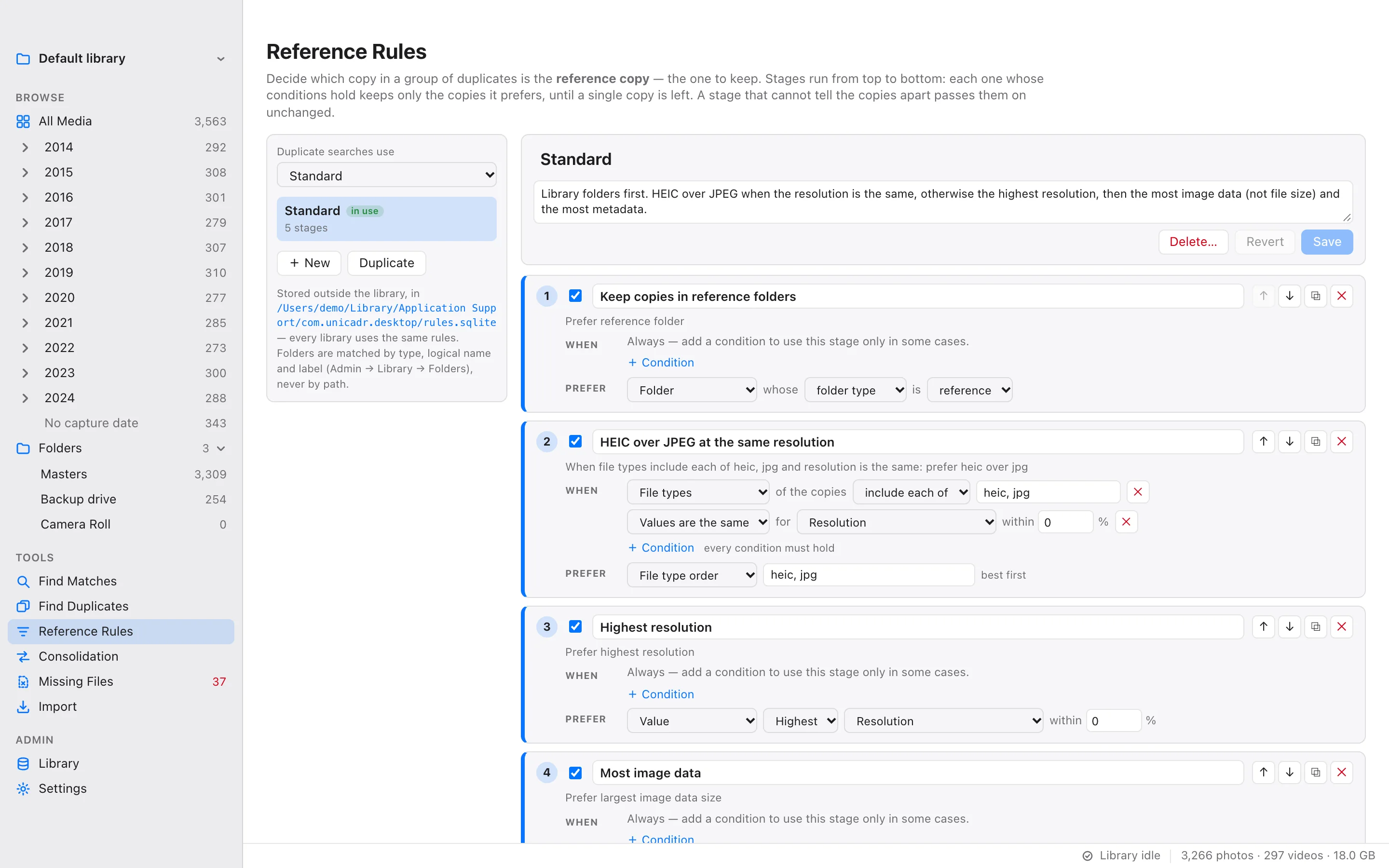
 Tools
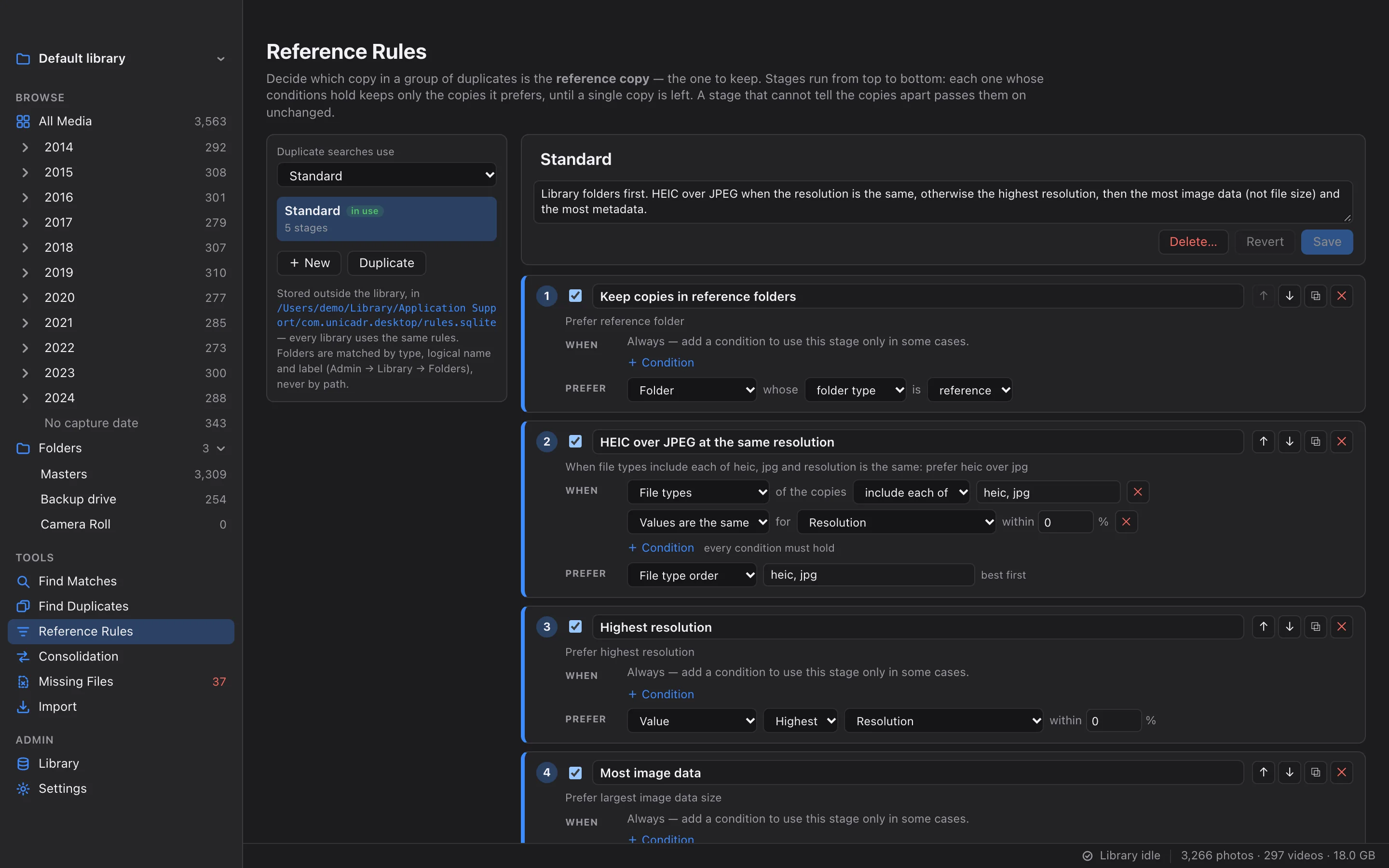
ToolsReference Rules
Describe which copy of a duplicate group should be kept, such as HEIC over JPEG or the most image data, and every duplicate search follows it.
Read more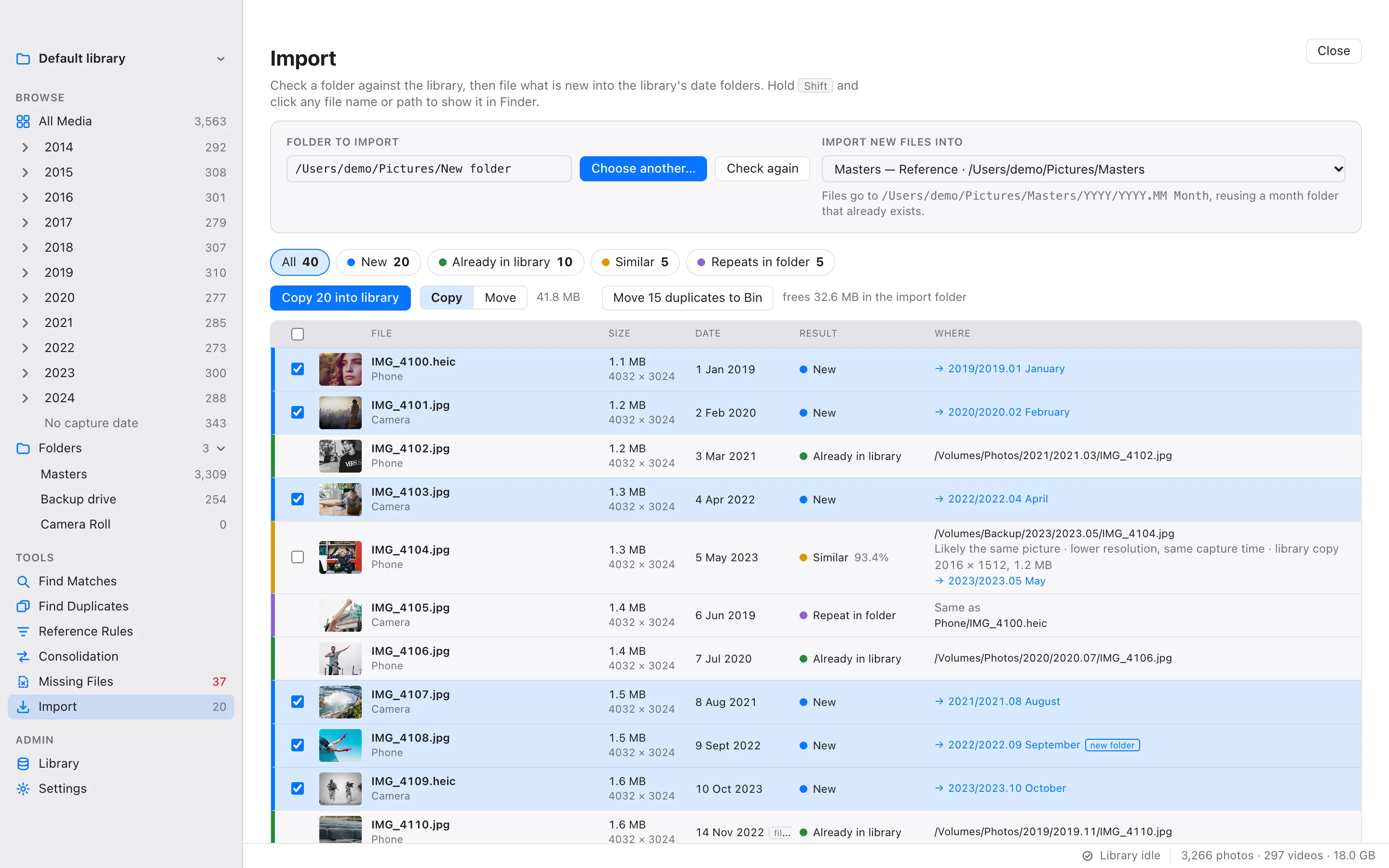
 Tools
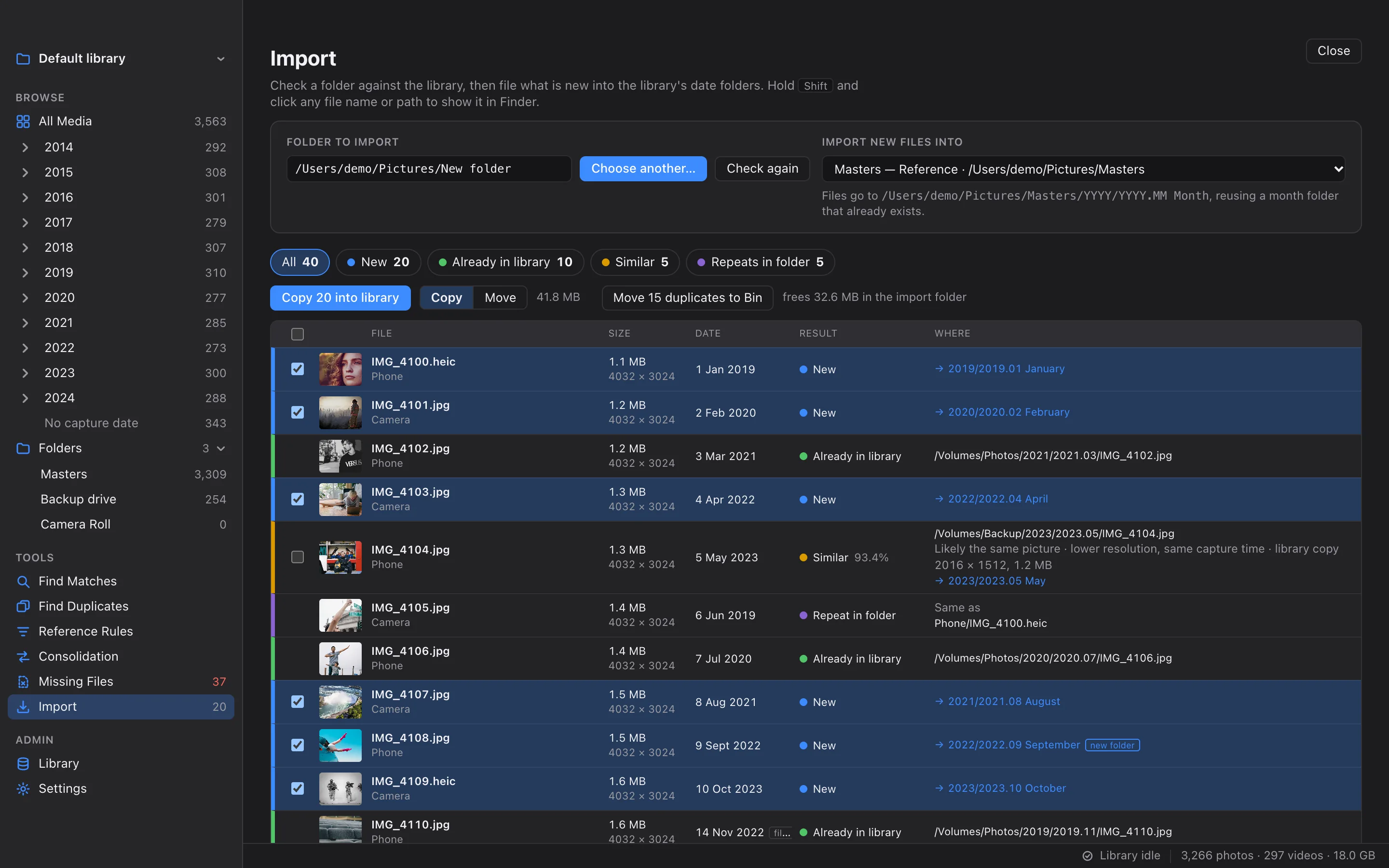
ToolsImport
Check a memory card or a download folder against the library, then file the new pictures into year and month folders.
Read more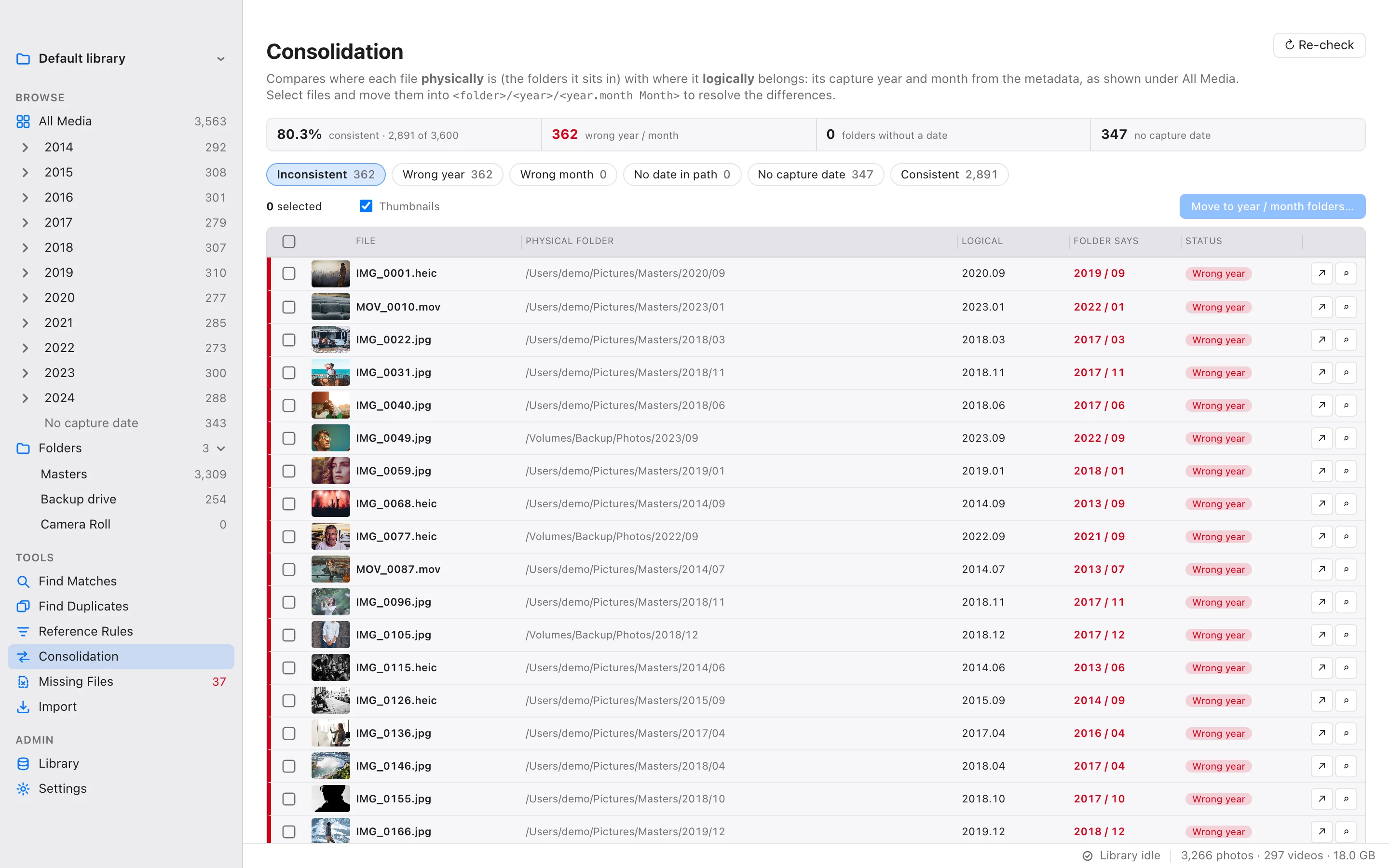
 Tools
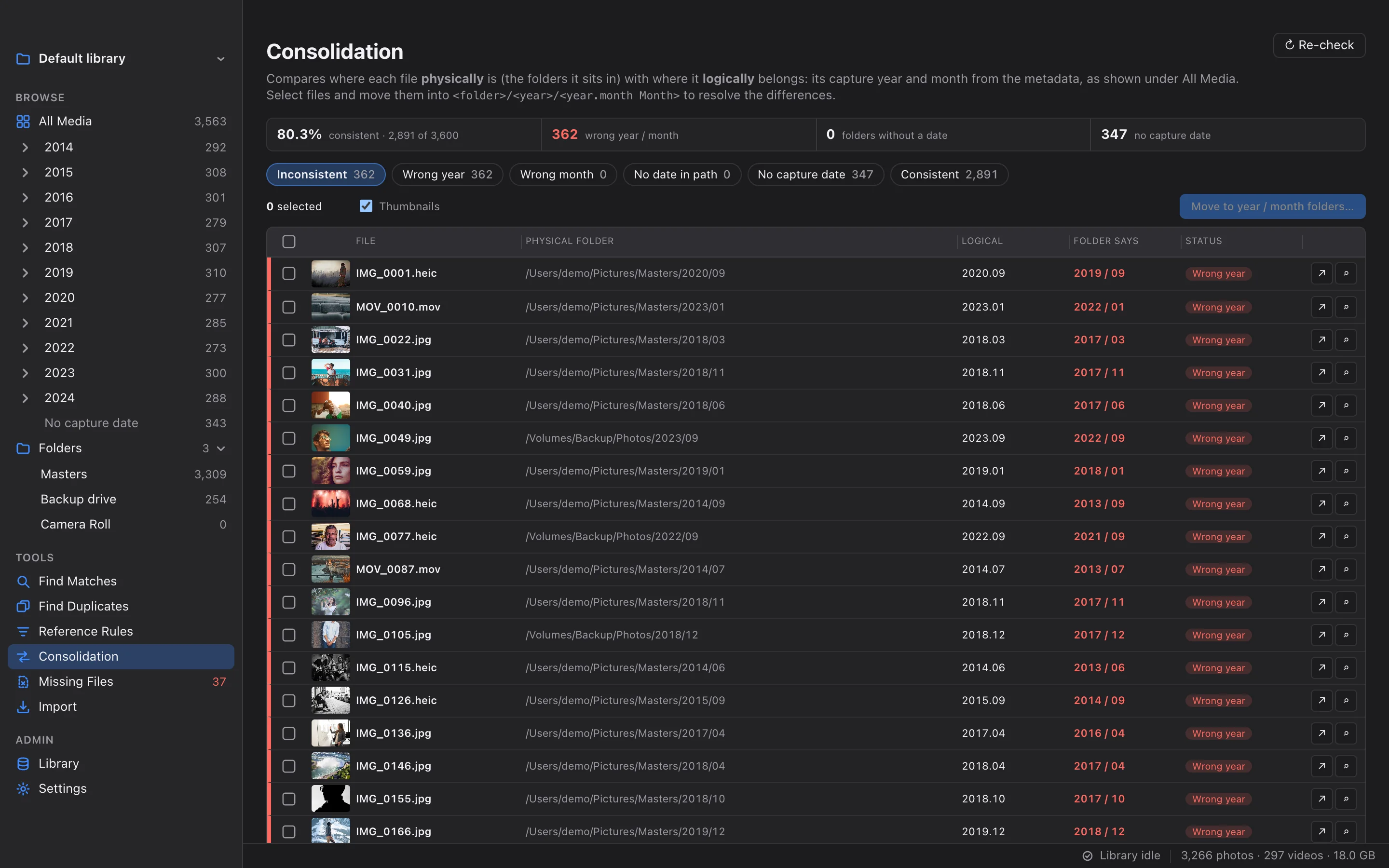
ToolsConsolidation
Find files whose year or month folder disagrees with their capture date, and move them to the right place.
Read more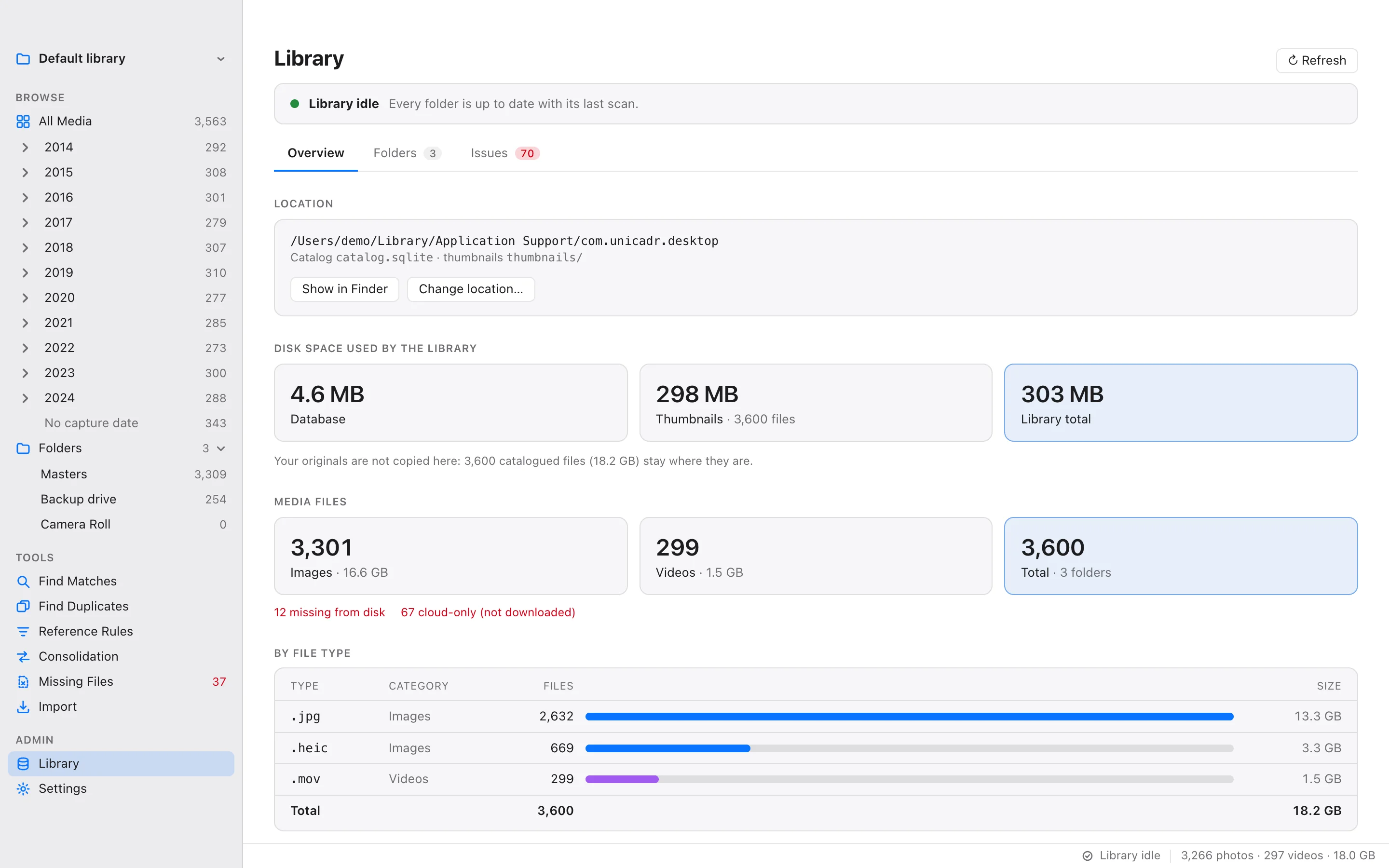
 Admin
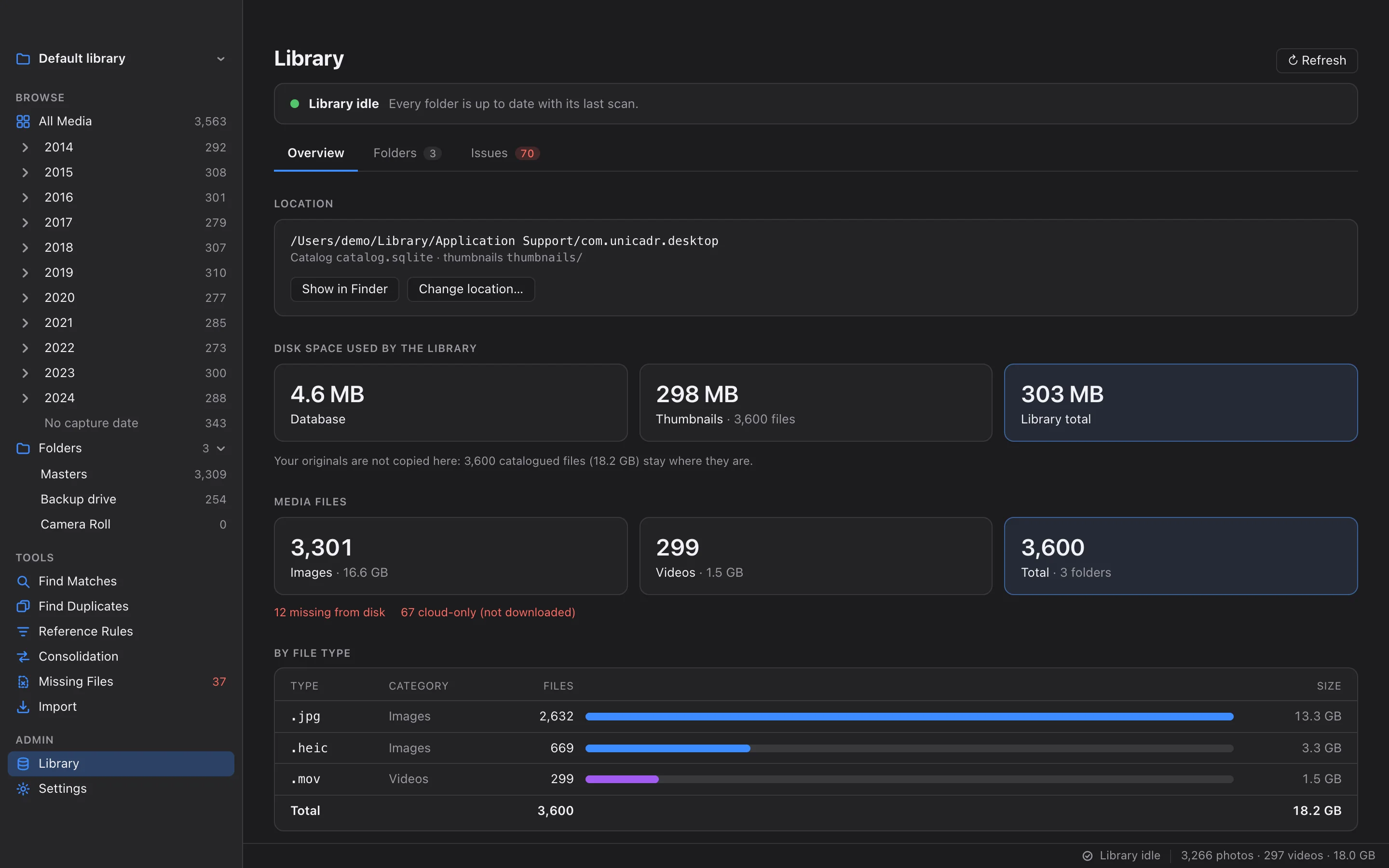
AdminLibrary & Health
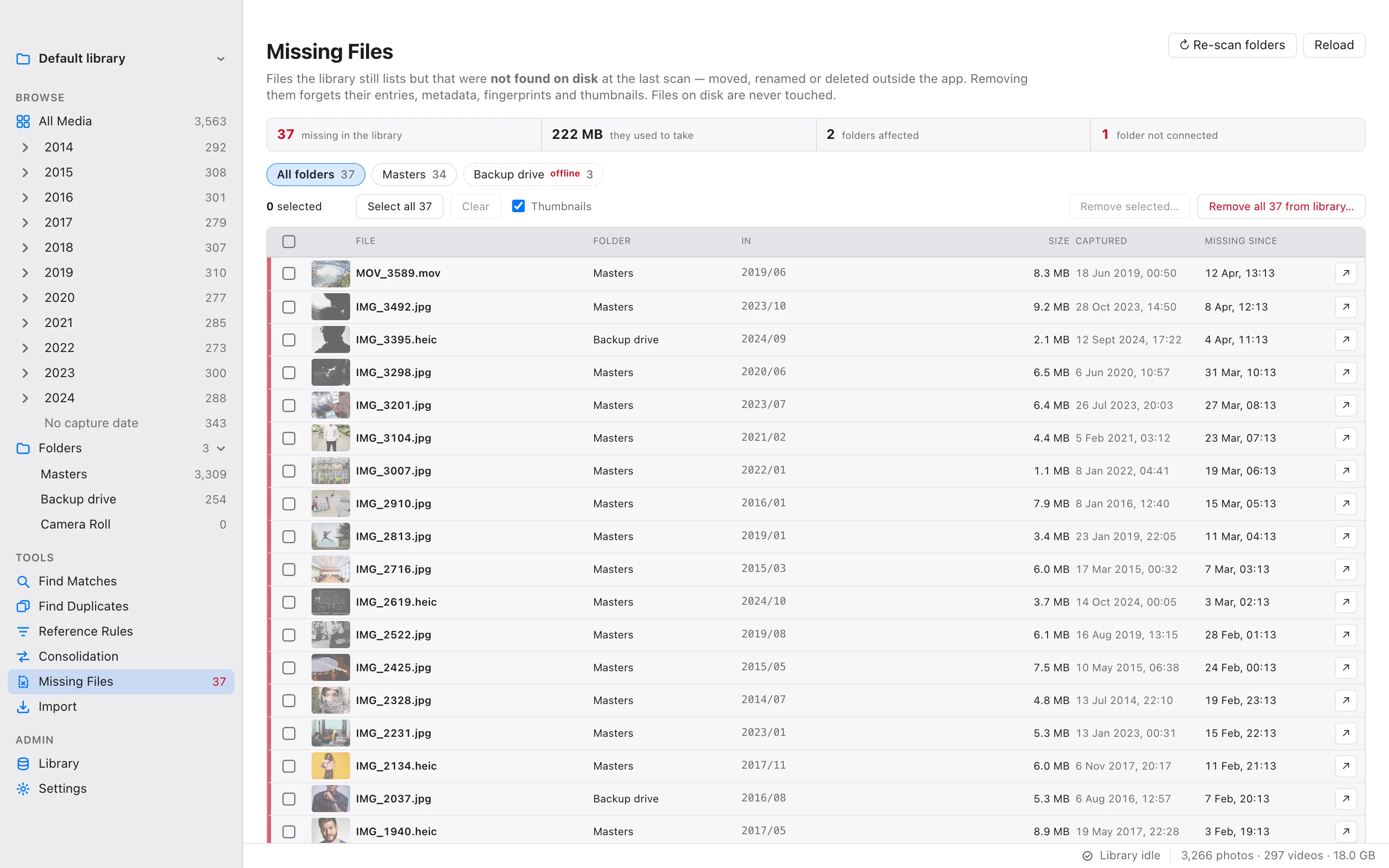
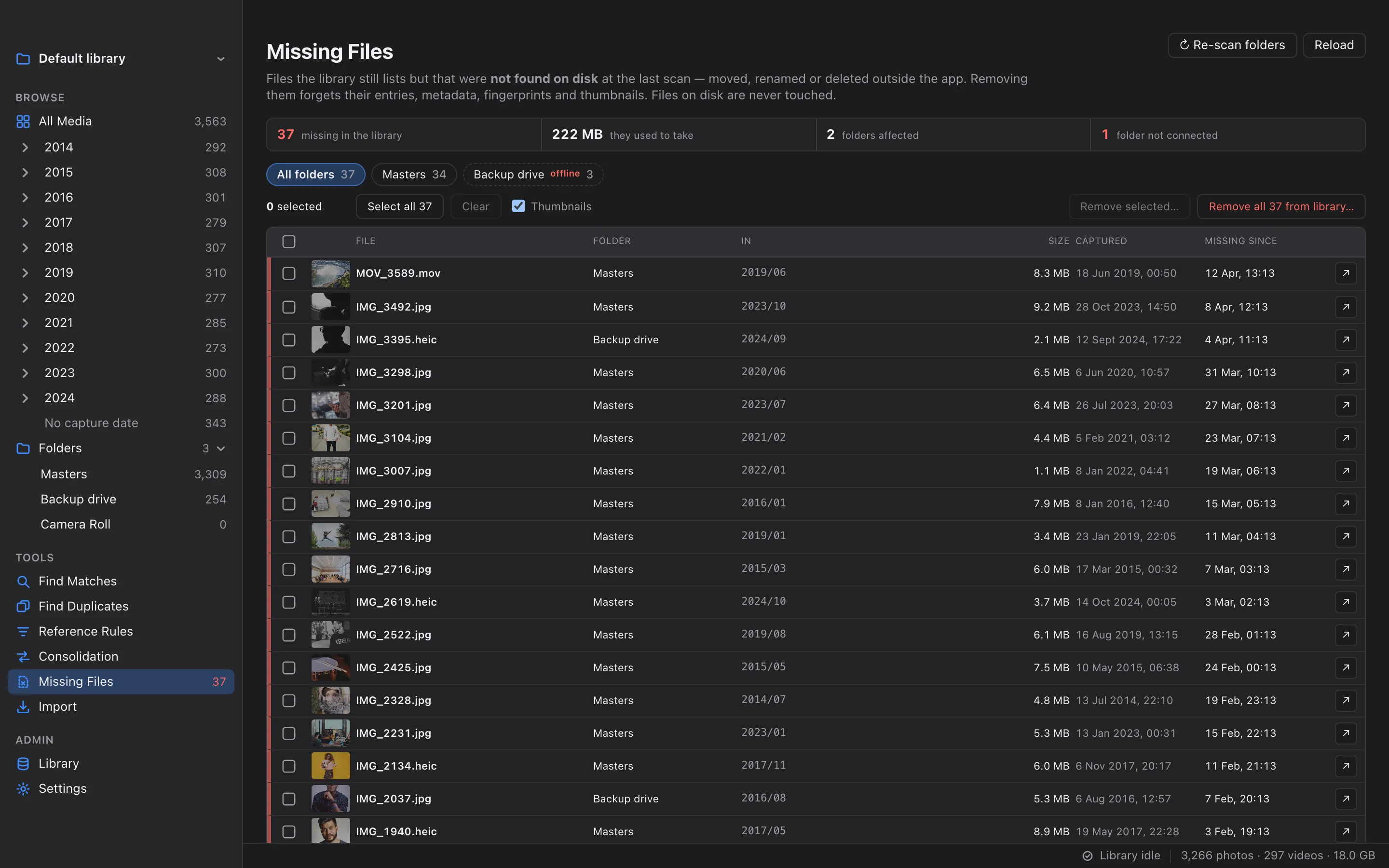
Disk use, file types, fingerprint coverage, folders, files with problems and files that went missing, in one place.
Read more
How a scan works
Built for libraries that grew for years.
Tens of thousands of files across drives that come and go. A scan is designed for exactly that.
Walk
Each folder is walked and every photo and video noted. Hidden folders and system clutter are skipped.
Compare
Files are checked against the catalog: new, changed, unchanged or gone. Unchanged files are never read again.
Read metadata
New and changed files go through ExifTool in parallel batches: capture date, camera, lens, exposure, location.
Thumbnails
Thumbnails are made in parallel into the library's own cache. Your originals are only read.
Fingerprint
Each file gets its perceptual hashes and a copy-detection descriptor, ready for every duplicate search.
- IncrementalOnly new and changed files are read again.
- Non-destructiveVanished files are flagged, never dropped.
- Cloud-safeOnline-only files are never downloaded.
- RestartableQuit mid-scan; it resumes next time.
A look inside
All features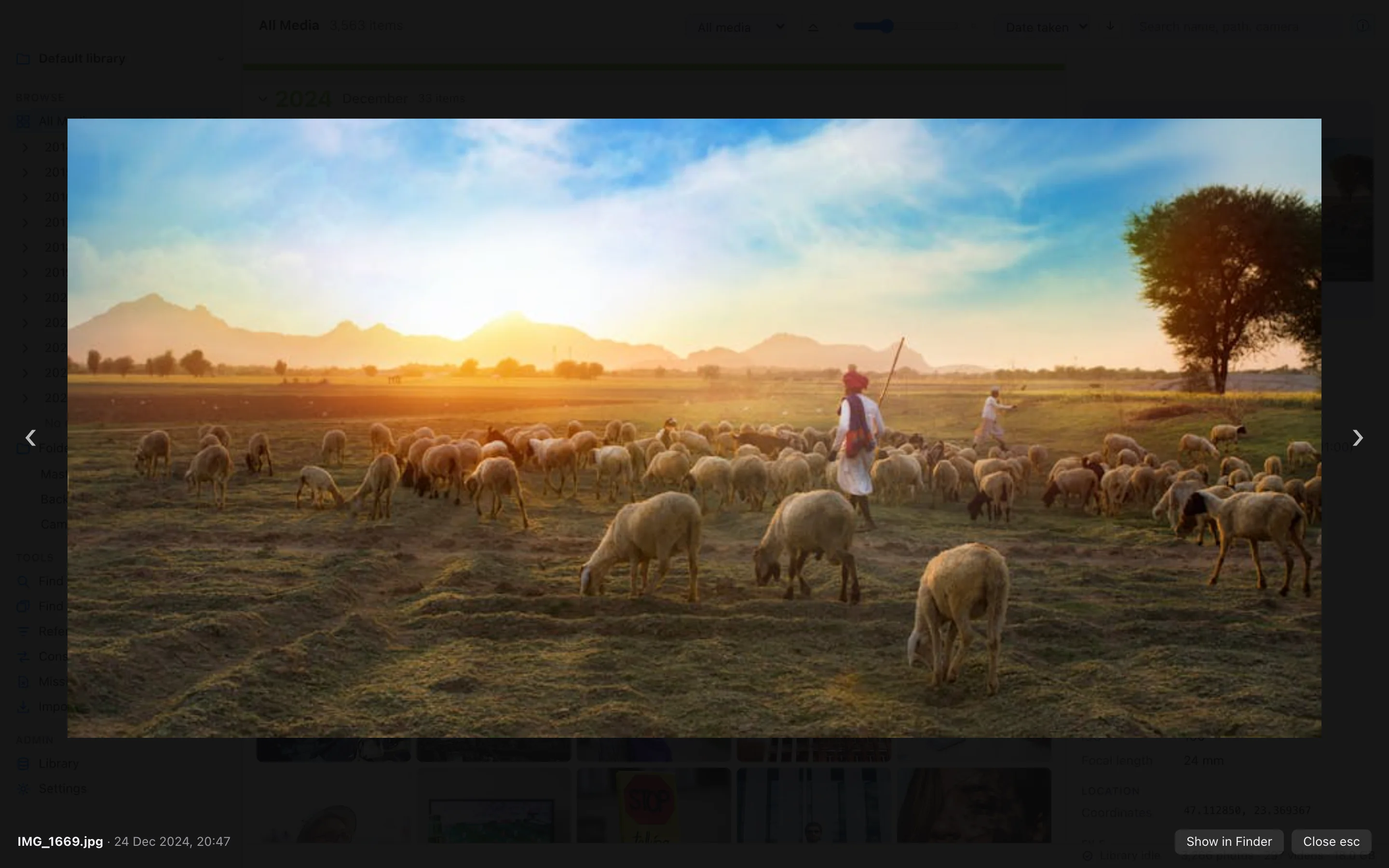
Private by design
Your library never leaves your Mac.
Works offline
No account, no sign-in, no telemetry. The catalog, thumbnails and fingerprints live in one folder on your Mac, and matching runs on its processor.
Your originals stay put
Scanning only ever reads. Files are moved or deleted only by the tools that say so, and only when you confirm what they will do.
Drives and clouds welcome
Catalog external drives, network shares and synced iCloud Drive, OneDrive or Google Drive folders. Unplug a drive and its catalog stays browsable.